Cloud dev environments built for AI agents.
WorkMux boots your repo as an isolated cloud session — your real stack, straight from docker-compose. Hand it to an AI agent and follow its plan, tool calls and edits in a structured chat panel. Then review the diff and merge. Your machine stays out of it.
See how it worksRuns on the stack you already have
Why WorkMux
One environment per task. An agent in each.
One branch on one laptop doesn't scale to agents. Run as many isolated cloud environments of your project as you have ideas — in parallel, each with its own agent.
Disposable by design
Every session is a fresh, isolated stack booted from your docker-compose. Let an agent experiment, break things, take a wrong turn — then delete it. Nothing to clean up.
Built for agents, not patched for them
Claude Code is installed and wired up in every session, and you drive it from a structured chat panel — the plan it keeps, every tool call, every edit, as they land. Not a wall of terminal output.
Diffs you actually read
Every changed file in a fast, virtualized side-by-side viewer. Comment inline, reply to the agent, jump hunks from the keyboard — review in the browser, JetBrains-grade.
You hold the steering wheel
Switch the model mid-conversation, approve a risky command before it runs, queue the next task, or stop a run the moment it goes sideways. The agent is fast; you stay in charge.
Branch, push and open a PR from the browser
Switch branches, commit, push and open a pull request without leaving the session. Work leaves an environment the way it should — as a branch, not a zip.
Ten sessions feel like one
Sessions are placed across the cloud fleet, so running a dozen at once is the normal case. Live CPU, RAM and disk per container, plus port forwarding on a click.
How it works
From repo to pull request in three steps
Point it at a repo
Paste a git URL. WorkMux reads your docker-compose and learns how to boot your stack.
Start an environment
A fresh, isolated stack builds in the cloud, your repo lands inside, and an agent is waiting in the chat panel.
Review & merge
Watch the diff grow, comment on a line and the agent picks it up, then push the branch and open a PR. When it's merged, throw the environment away.
Agent panel
Every step the agent takes, in one panel
The agent tab isn't a terminal — it's a structured chat. You give it a task, it writes itself a checklist, and every tool call and file edit shows up as it happens. Switch the model mid-conversation or stop the run when it goes the wrong way.
- The plan, the tool calls and the edits as they land
- Switch between Opus, Sonnet and Haiku without losing the thread
- Queue the next task, or stop the one that's running
Inside WorkMux
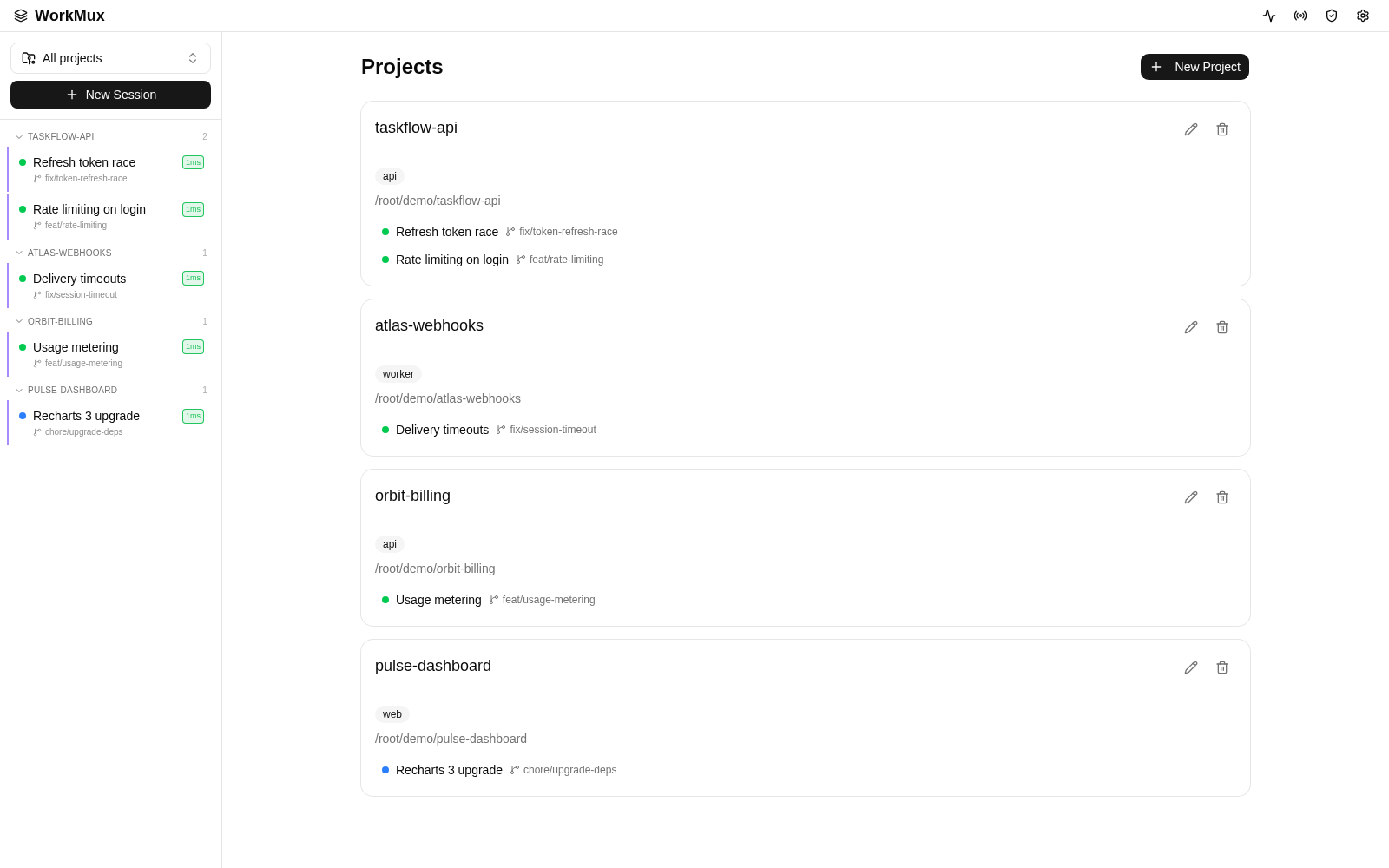
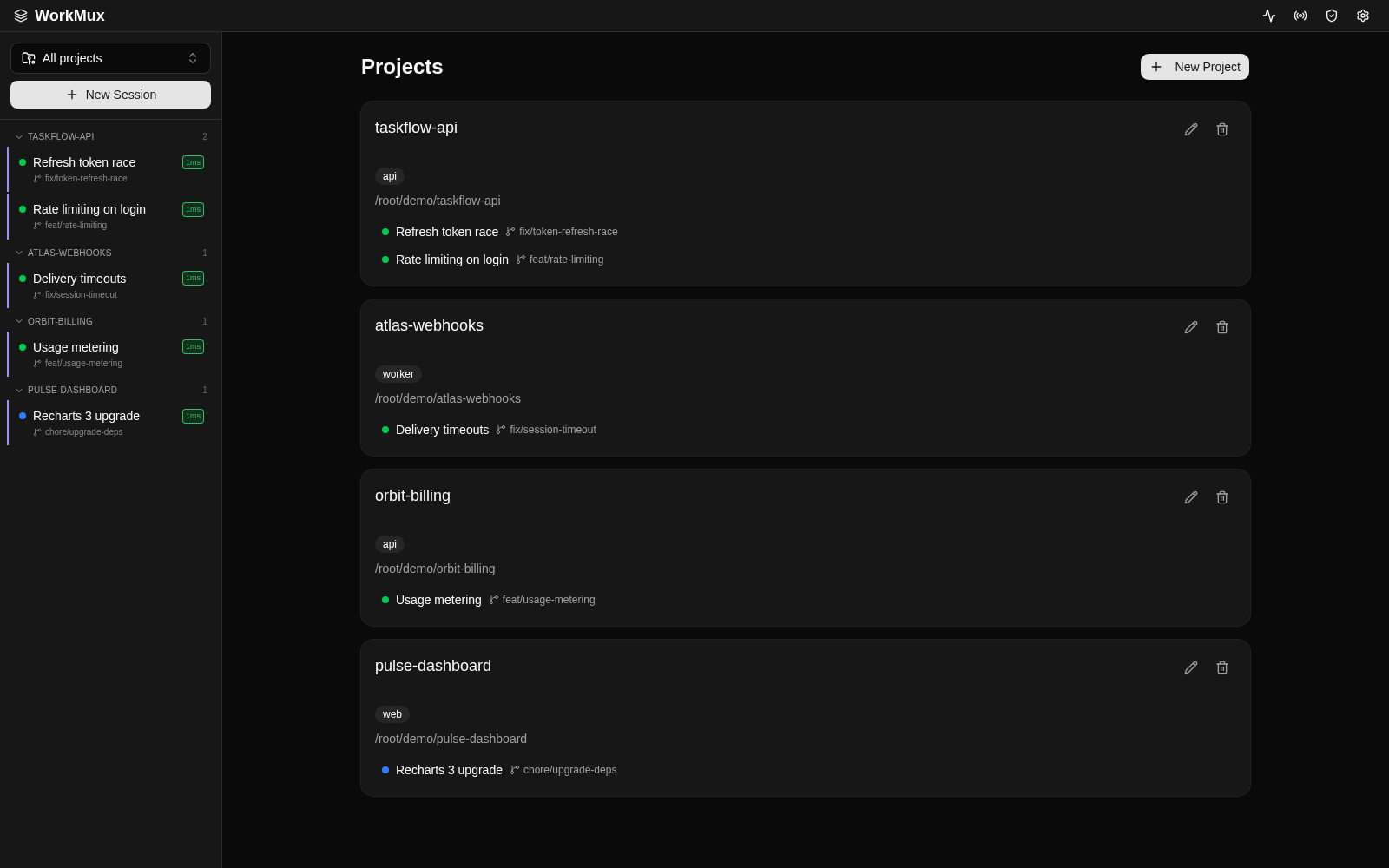
Every project, every environment — one screen
A live view of your projects and the sessions running inside them. Green means an agent is working; click in and you're in the room with it.
- Projects backed by any git repo
- Live session status at a glance
- One click into a running container
Inside WorkMux
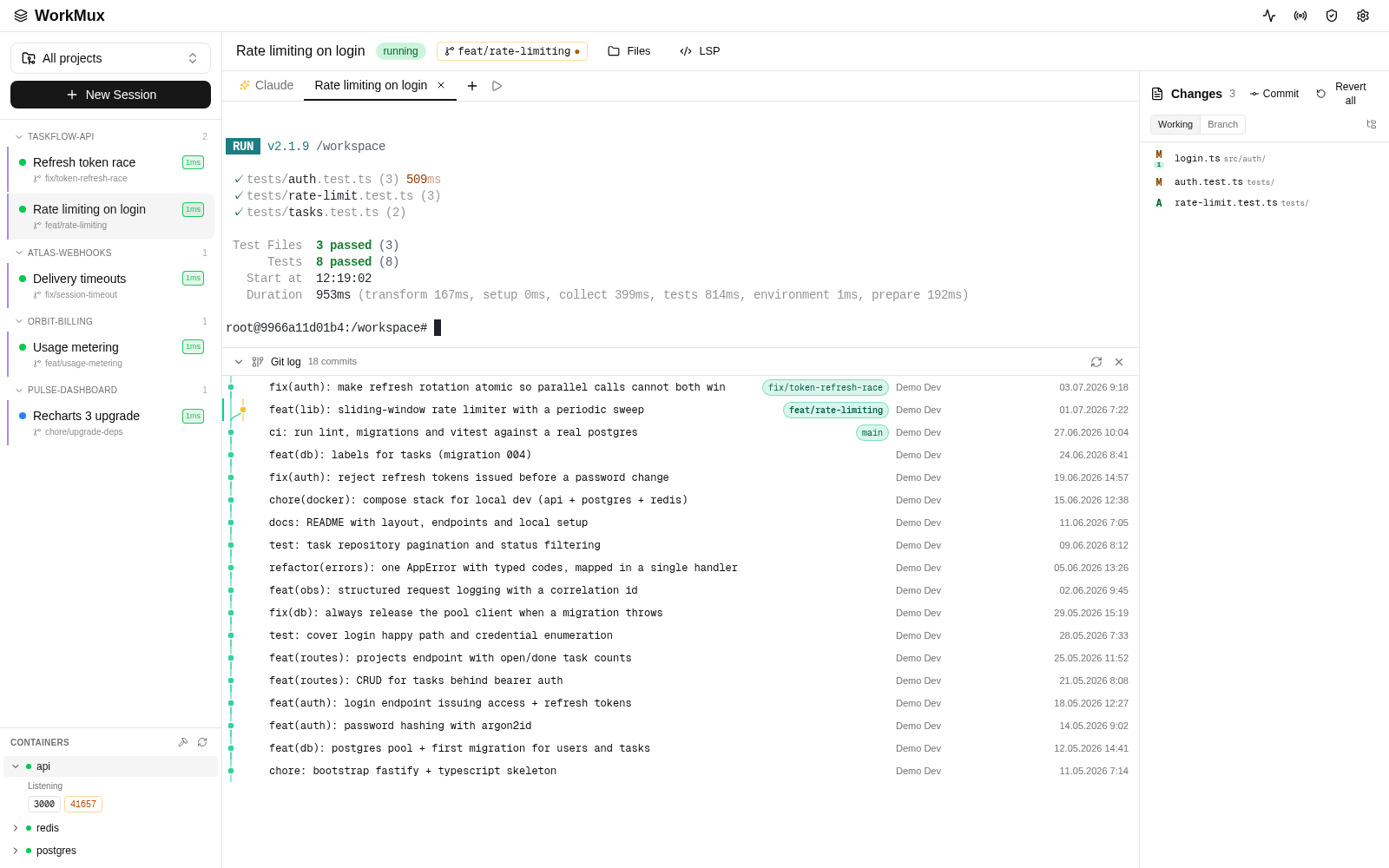
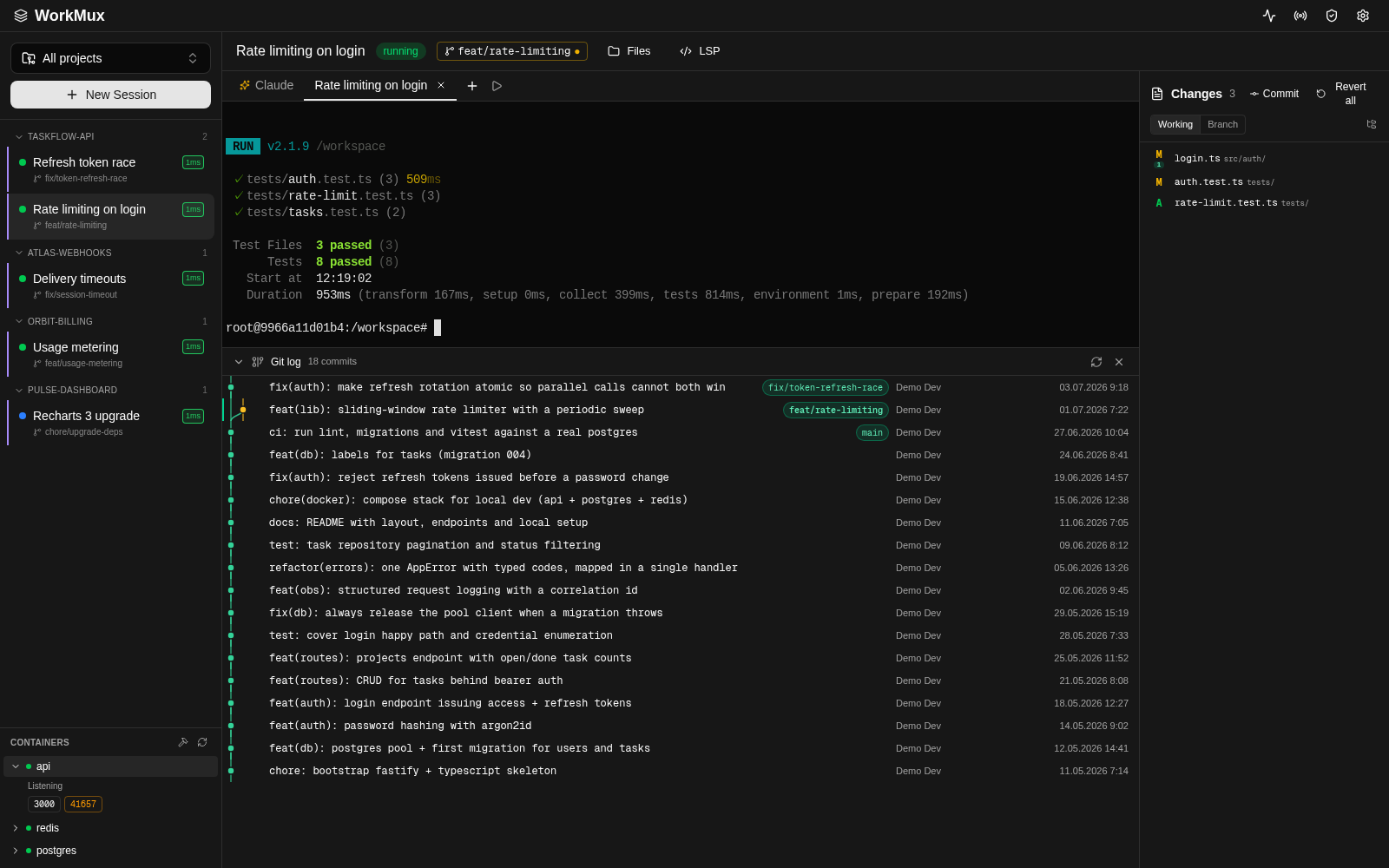
Agent, changes and containers — side by side
The session workspace puts the agent, the Changes panel and your running containers in one layout. The agent works on the left; you watch the diff build on the right.
- The agent tab, plus terminals for whatever you want to run yourself
- Live container resources and one-click port forwards
- Commit, push and open a PR without leaving the page
Review
Read the diff like you mean it
Agents write a lot of lines. A virtualized side-by-side viewer takes the whole changeset without stalling. Comment inline, reply to the agent, and the thread lives next to the code.
Nice — can we return a 429 with Retry-After here?
When you want the keys
A real shell is one tab away
The environment is a normal Linux box, so nothing is hidden behind the agent. Open a terminal tab against any container in the session and run your tests, a migration or a REPL — against the same services the agent is working on.
Diff comments
Comment a line. The agent reads it.
Every line in the diff takes a comment, like a code review. It goes straight to the agent running in that session — it opens the file, answers in the thread and fixes it in the same branch. Nothing to copy-paste into a chat window.
No comments yet. Add the first one below.
A 429 without Retry-After is useless to the client — add the header.
Right. Retry-After now comes from the limiter's reset window, and there's a test for it.
Applied — +6 in the diff
FAQ
Questions, answered
What is WorkMux?
Cloud dev environments built for AI agents. Each one is an isolated copy of your repo running your real stack, with an agent inside it and a diff viewer on top.
Do I need Docker or anything installed?
No. The environments run in the cloud and you work in the browser. There's nothing to set up on your side.
Which agents can I run?
Claude Code is installed and ready in every environment, and you drive it from a structured chat panel — plan, tool calls, model switcher and all. You don't have to use it: the environment is a normal Linux box, so you can open a terminal tab and work in it yourself.
How do I tell the agent what to fix?
Comment the line in the diff, the way you would in a code review. The comment is delivered to the agent in that session; it replies in the thread and pushes the fix into the same branch.
Is my code safe?
Every session is an isolated container. Your code leaves it only where you send it — a branch, a pull request. Nothing is pushed implicitly.
Can I use my own repos and stack?
Yes. Point WorkMux at any git repo; it reads your docker-compose and boots the same services you run locally — database, cache, workers and all.
What does it cost?
Early access is free while we roll out. We'll announce pricing before general availability. Questions in the meantime: info@workmux.com.
Give your agents a real environment. Keep your laptop out of it.
Join the early-access waitlist. Your email is enough.